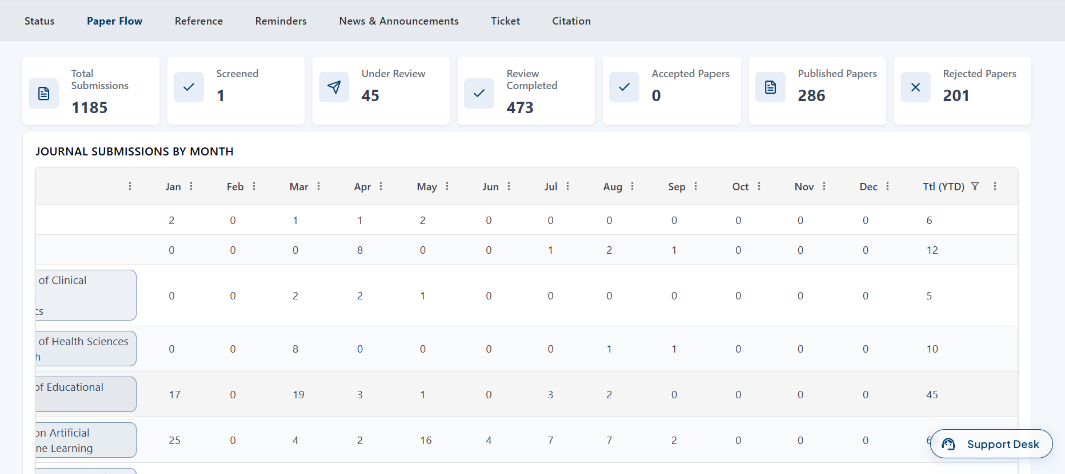
How to View Journal Paper Flow from Admin
Login to the Manuscript ERP with your credentials. On successful login, you'll land on the Manuscript dashboard.

From the top navigation bar, click Manage Journal, then click the Paper Flow tab. The Journal Submissions by Month page will open, displaying the submission status. The table also shows the number of submissions for each journal by month.