Managing Plagiarism Preferences
Login to the Manuscript ERP with your credentials, on the top of the Top navigation bar you will see the gear icon near the Notification Bell

Click on the configuration icon in the top-right corner of the icon it will list the menu. Choose the configuration you need to access, and it will take you the configuration page with the menus on the left-hand side, clicking on the menus on the left-hand side will open the configuration you need to access,In the Configuration page, open Plagiarism from the left-hand menu. The Plagiarism Preferences page will open.

Editing Plagiarism Preferences
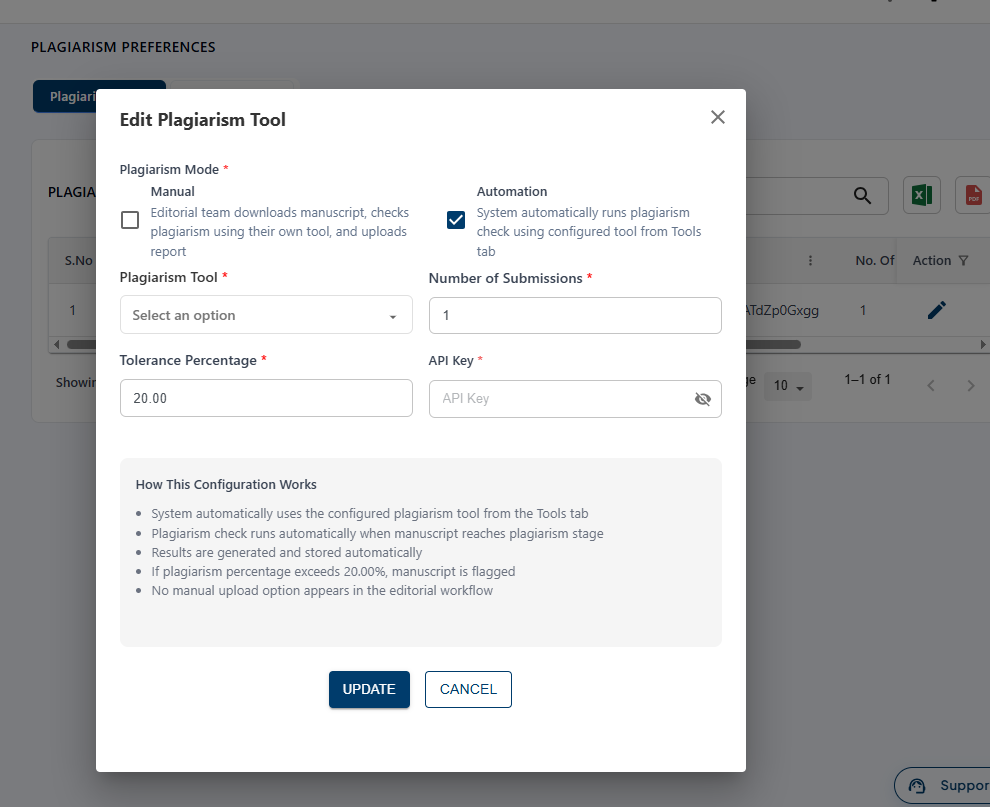
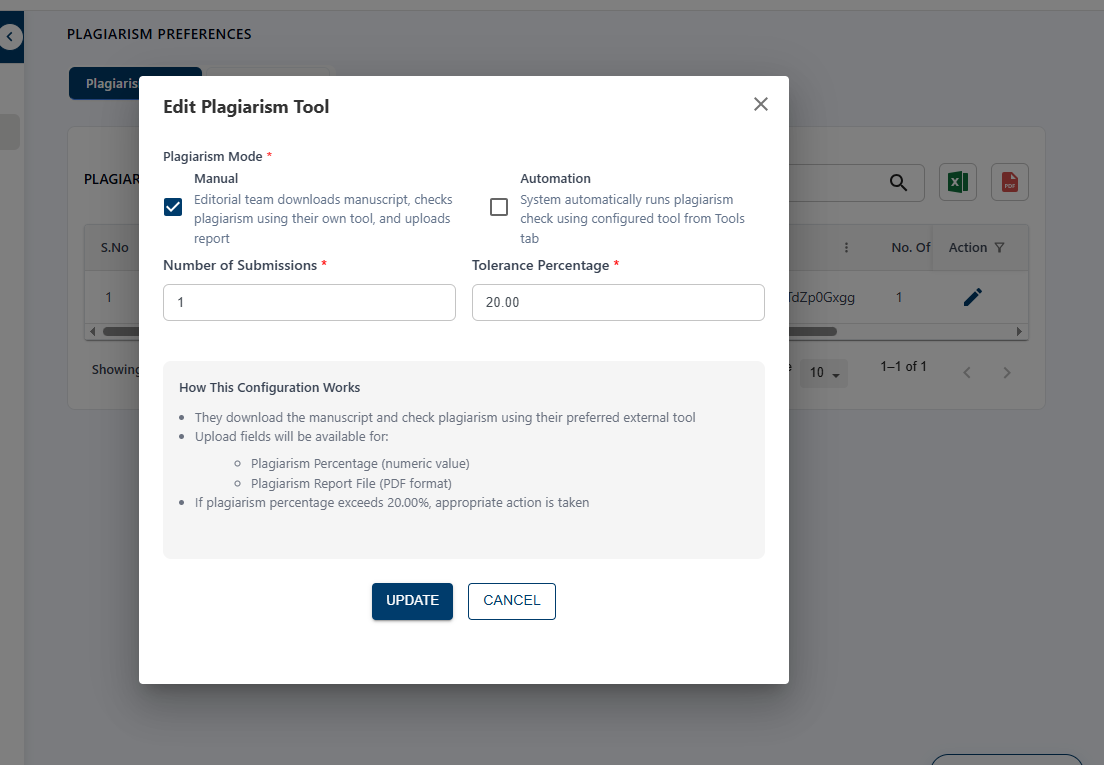
In the Plagiarism Preferences page, click the Edit icon for the required plagiarism tool. Under Plagiarism Mode, select Manual. In Manual mode, the editorial team downloads the manuscript, checks it for plagiarism using their preferred external tool, and uploads the plagiarism report. The Number of Submissions and Tolerance Percentage can also be configured.
If you select Automation, the system automatically checks the manuscript for plagiarism using the configured plagiarism tool. After entering the required details, click Update to save the configuration.