
How to Add a Reviewer from the Admin Panel
Login to the Manuscript ERP with your credentials. On successful login, you'll land on the Manuscript dashboard.
 From the top navigation bar, click Editorial to open the Editorial section. Click the Reviewer tab to open the Reviewer page, where you can view and manage reviewers. You can view reviewer details, assign journals, edit reviewer details, delete reviewers, you can also imporsonate the reviewer login to see the reviewed paper, and activate or deactivate a reviewer using the available action icons.
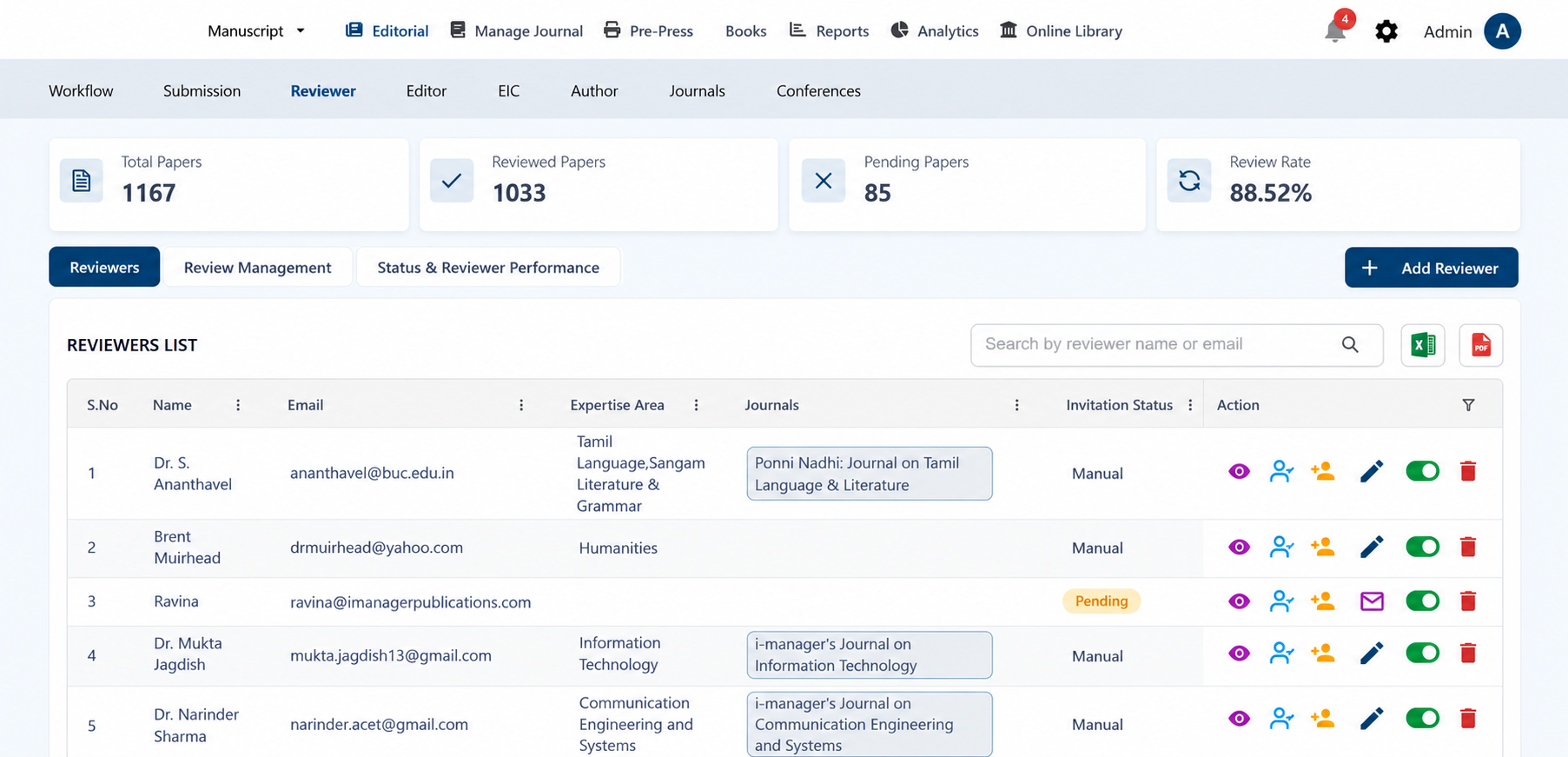
Adding Reviewer
In the Reviewer page, click Add Reviewer. Select Manual Entry or Send Invitation as required. Enter the Reviewer Name and Reviewer Email, then click Send to add the reviewer or send the invitation.
