Settingup Editorial Workflow
Login to the Manuscript ERP with your credentials. On successful login, you'll land on the Manuscript dashboard.

On the top navigation bar, click Editorial. This opens a sub-menu with tabs: Workflow, Submission, Reviewer, Editor, EIC, Author, Journals, and Conferences. The Workflow tab opens by default and shows the current Editorial Workflow configuration.

Editing the Workflow
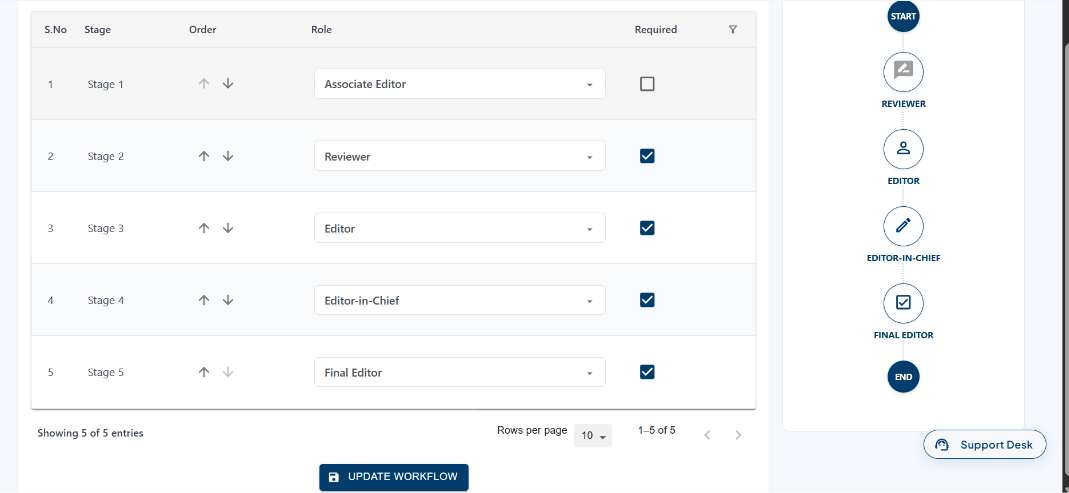
In the Editorial Workflow page, click the Edit icon in the top right corner, the Editorial Workflow page will open in editable mode where you can change the role using the Role tab, reorder the stages using the up and down arrows,Once the required changes are made, click Update Workflow to save.