➕ Adding a New Journal from Admin
Login to the Manuscript ERP with your credentials, on the top of the Top navigation bar you will see the gear icon near the Notification Bell.

Click on the configuration icon in the top-right corner of the icon it will list the menu. Choose the configuration you need to access, and it will take you the configuration page with the menus on the left-hand side, In the Configuration page,open Add journal from the left-hand menu. The Add journal page will open.

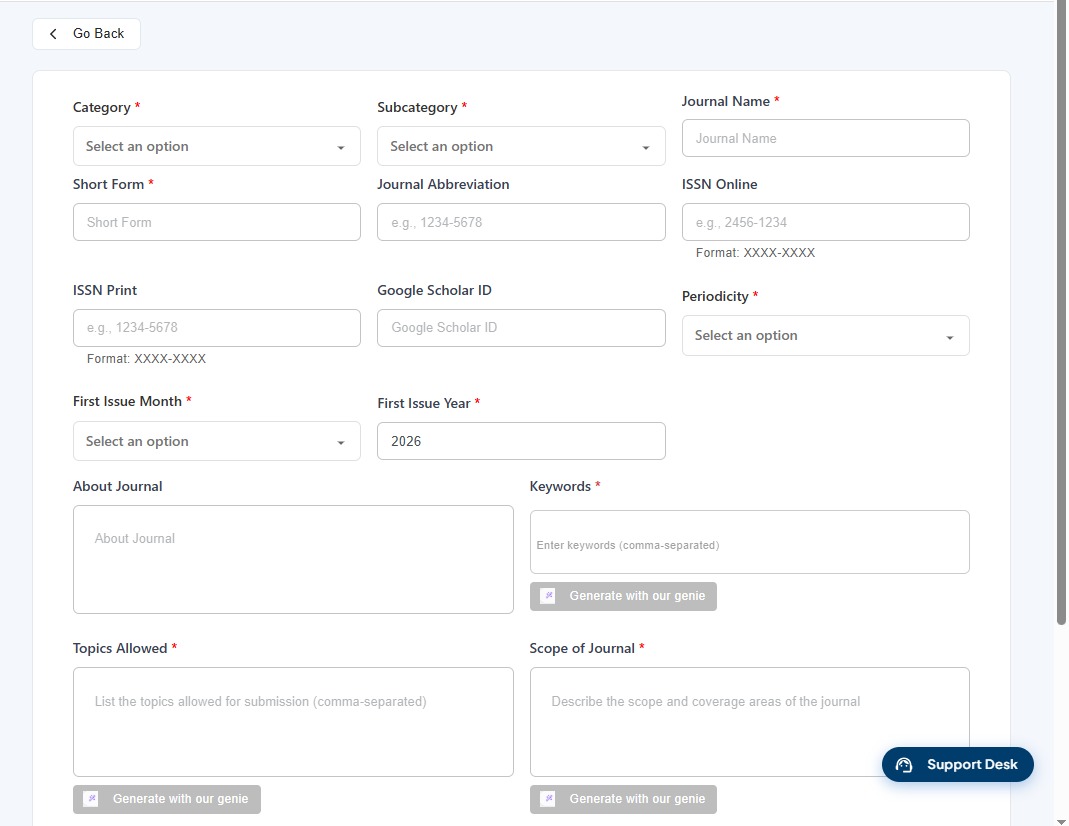
Click the Add Journal from the left-hand menu. The Add Journal page will open,Enter the required journal details such as Category, Subcategory, Journal Name, Short Form, Periodicity, First Issue Month, First Issue Year, Keywords, Topics Allowed, and Scope of Journal. Enter the optional details such as Journal Abbreviation, ISSN Online, ISSN Print, and Google Scholar ID, if applicable. You can use the Generate with our genie option to generate content for the available fields. Review the entered details and click Save to add the journal.