Managing DOI Configuration
Login to the Manuscript ERP with your credentials, on the top of the Top navigation bar you will see the gear icon near the Notification Bell.

Click on the configuration icon in the top-right corner of the icon it will list the menu. Choose the configuration you need to access, and it will take you to the configuration page with the menus on the left-hand side, clicking on the menus on the left-hand side will open the configuration you need to access,In the Configuration page, open DOI from the left-hand menu. The DOI page will open,

Adding DOI Configuration
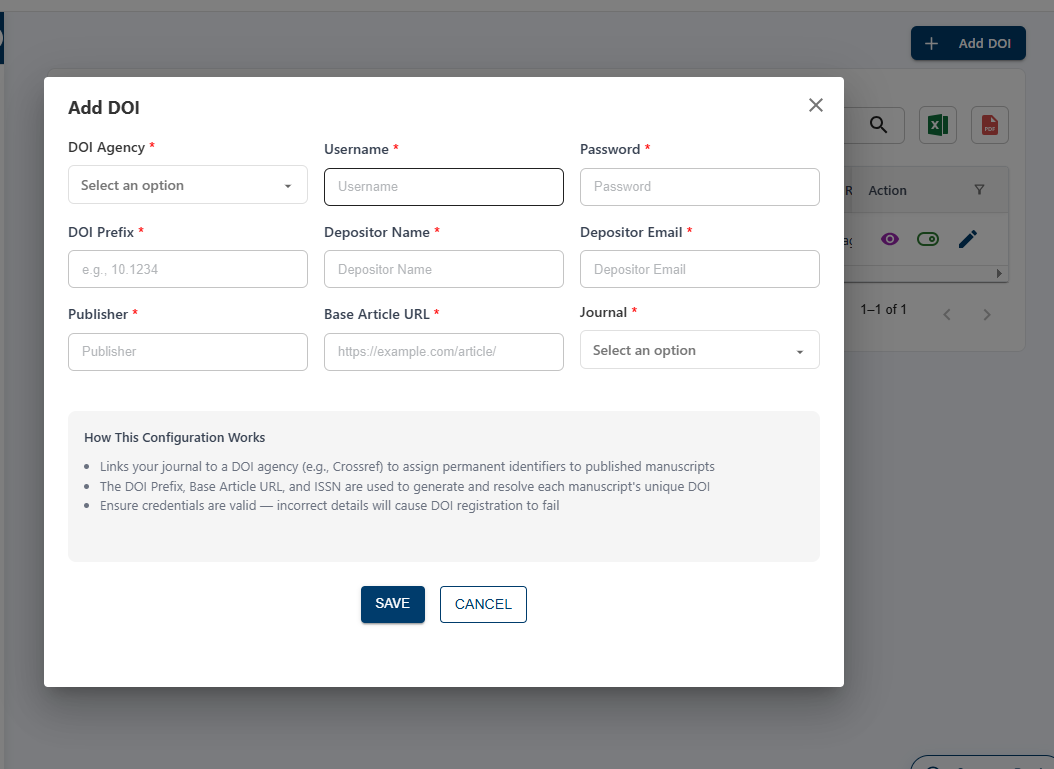
In the DOI page, click Add DOI. Enter the required details and select the Journal. Click Save to add the DOI configuration.